

BGRS ReloPlanner
Redefining Enterprise Relocation for 190+ Global Clients
-
Client: BGRS – Canada’s leading enterprise relocation provider
-
Timeline: 1+ year (Ongoing Agile Engagement)
-
Role: Intermediate UX Designer (Enterprise Pod)
-
Team: Product Manager, Business Analyst, Developers, QA, Data Team, Designers (cross-pod)
-
Platform: Web-based SaaS Platform (B2B + Internal Enterprise Tools)
-
Tools Used: Figma, Miro, FigJam, Axure, Confluence
Summary
As part of the core design team, I worked on ReloPlanner, BGRS’s enterprise-grade relocation management platform. This internal and client-facing tool supports onboarding, task management, and cross-functional coordination for HR teams managing global mobility programs. streamline a traditionally manual, high-stakes process for over 190 corporate clients with a configurable and compliant system that scales.
Business Objectives
-
Digitize fragmented relocation workflows
-
Reduce onboarding time and manual task tracking
-
Centralize policy configuration and task ownership
-
Improve visibility into move progress for HR and employees
-
Enhance audit compliance across multiple regions

The problem
“We don’t know where the relocation stands until the employee calls us.” — HR Coordinator
Enterprise HR teams were heavily reliant on email chains, spreadsheets, and shared folders to manage relocation journeys. This made it difficult to track progress, enforce policy rules, and coordinate across legal, finance, and mobility teams.
Top Challenges:
-
-
No centralized tracking of move timelines
-
Manual policy interpretation and approvals
-
Inconsistent communication across teams and time zones
-
Frequent system slowdowns and data performance issues
-
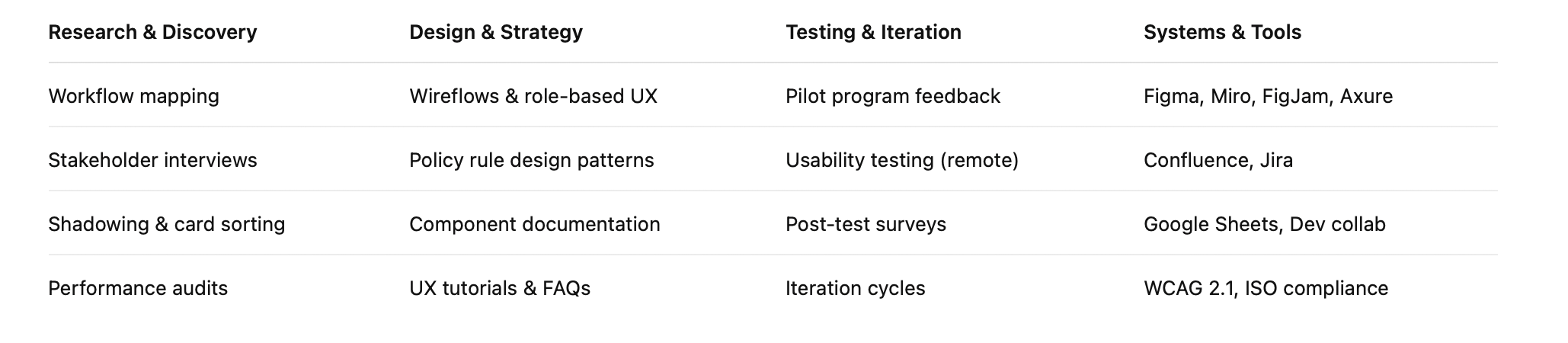
UX Methods & Tools Used
- Discovery: Stakeholder interviews, journey mapping, field observation
- Design: Wireframes, task flows, visual UI, prototypes
- Testing: In-person validation, remote usability sessions
- Tools: Figma, Adobe XD, UserTesting.com, Google Forms
- Compliance: WCAG 2.1, 48px+ tap targets, kiosk accessibility standards

My Role & Collaboration
As an intermediate UX designer, I collaborated across pods and departments to improve both the user experience and the technical reliability of the platform.
My contributions included:
-
Partnered with BAs and QA to define functional requirements and logic edge cases
-
Worked closely with developers to deliver polished handoffs and ensure front-end quality using Figma components
-
Collaborated with the data team to audit system performance issues and align design with backend capabilities
-
Created documentation and visual tutorial flows to support training and reduce support tickets
-
Supported other pods by co-reviewing wireframes, sharing patterns, and cross-pollinating UX solutions
This role was deeply collaborative and strategic — focused on long-term reliability, design scalability, and cross-team efficiency.
UX Research
Research Goals
-
Understand HR, finance, and legal workflows during relocations
-
Map bottlenecks and role-based friction
-
Identify naming inconsistencies and configuration edge cases
Methods Used
-
8 stakeholder interviews across regions and roles
-
Task shadowing with relocation coordinators
-
Card sorting for workflow clarity and terminology mapping
-
Data audit with system and DevOps teams to identify performance slowdowns
Design Process
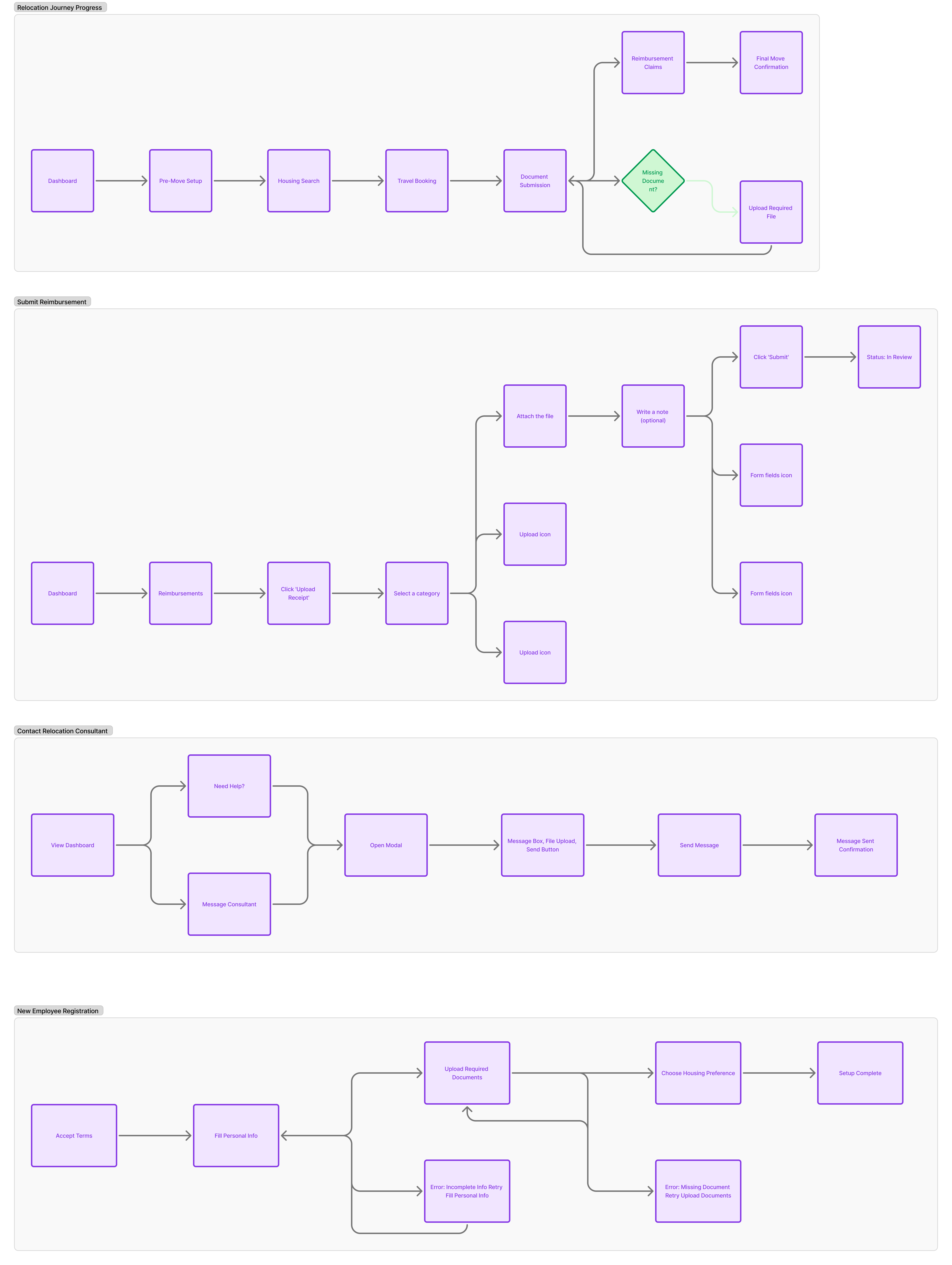
Ecosystem Mapping
-
Mapped 3 key user roles: HR Coordinators, Policy Approvers, Employees
-
Created value streams and phased workflows:
Initiate → Configure → Approve → Track → Finalize
-
Identified high-risk tasks and time zone friction points
Wireframes & UX Flows
-
Multi-step relocation setup wizard
-
Policy editor with dynamic rules and compliance validations
-
Role-specific dashboards showing task progress, status, and blockers
-
Audit trail integrated into task views

High-Fidelity UI / Prototypes
-
HR Dashboard: Visual relocation pipeline and alerts
-
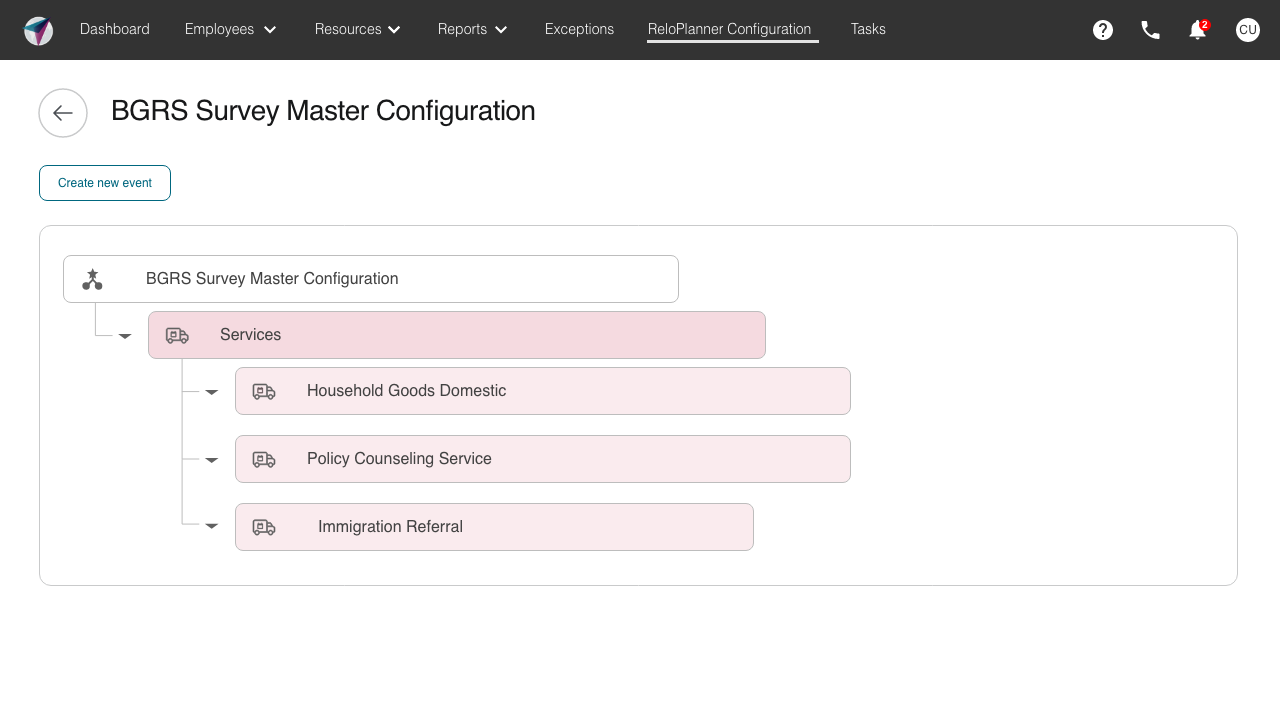
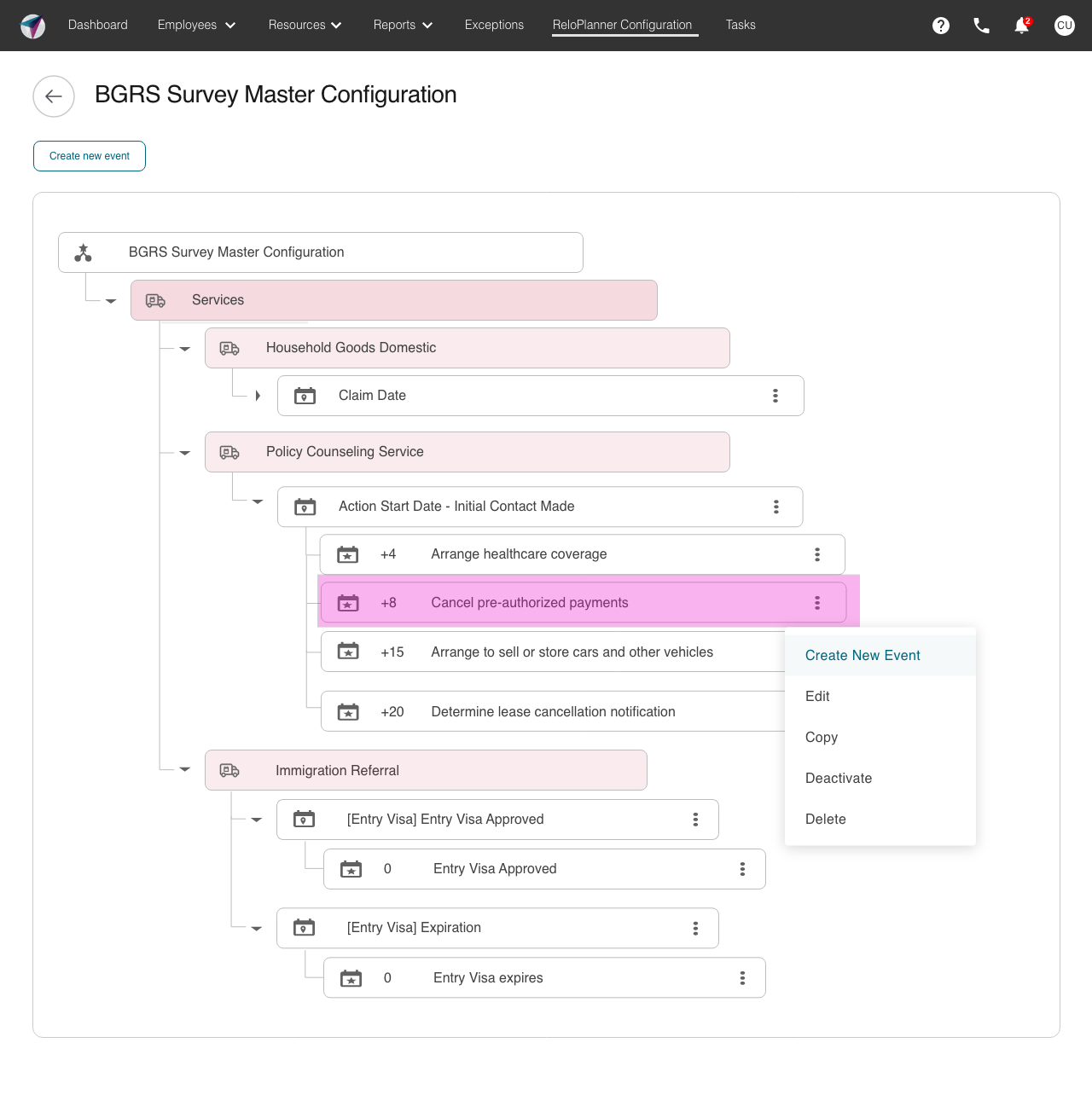
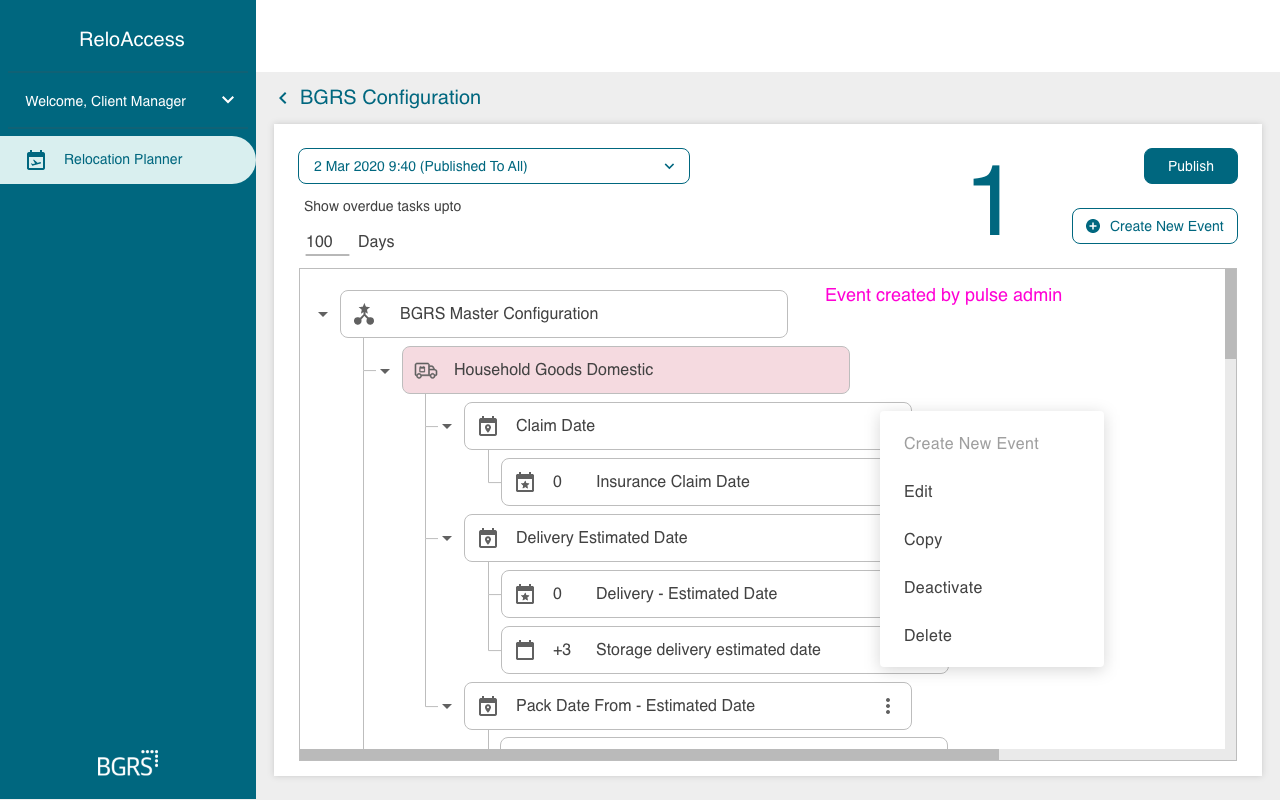
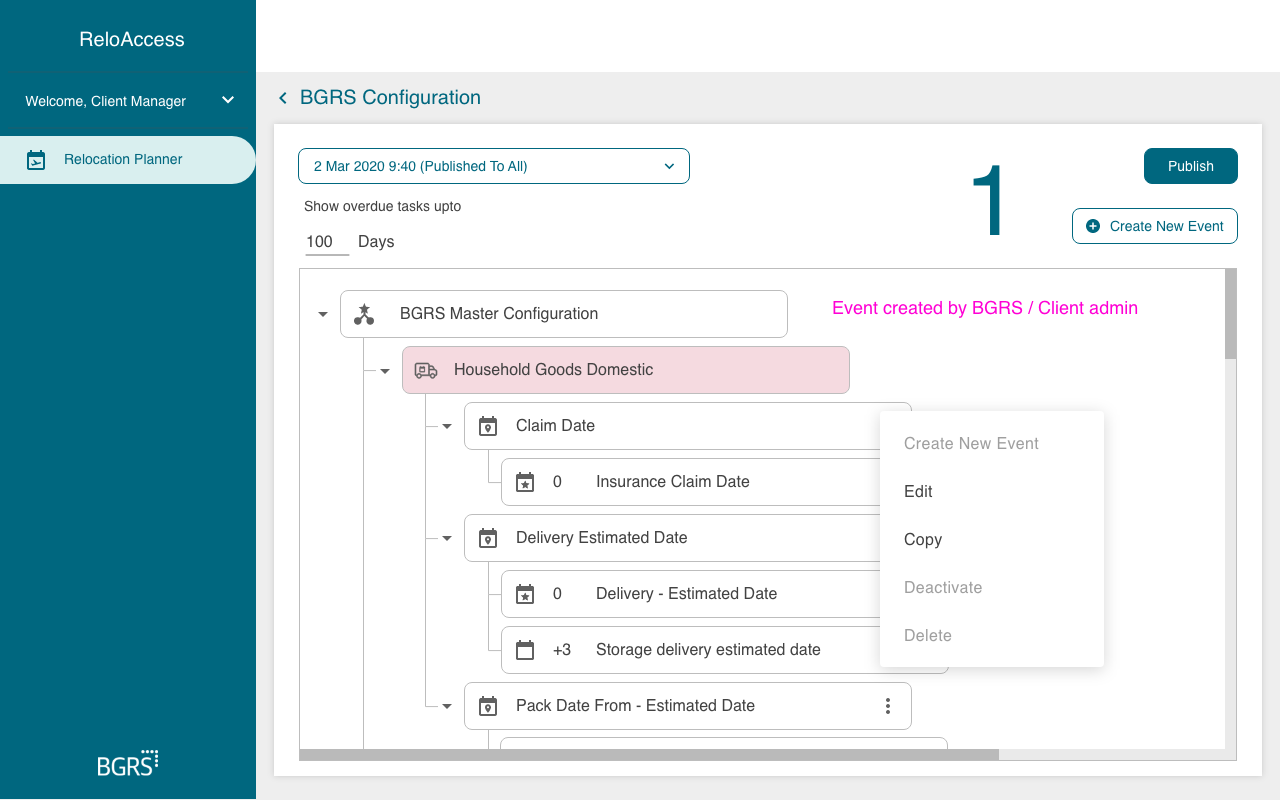
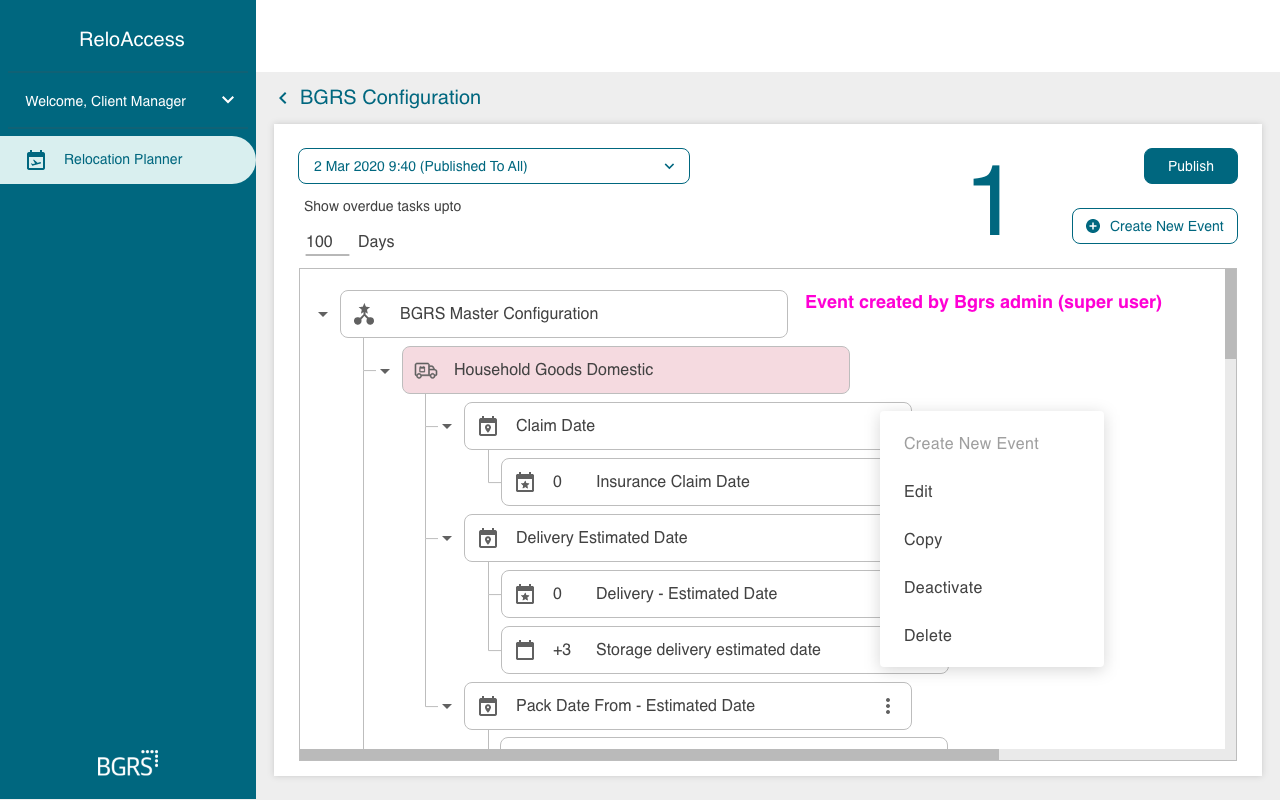
Policy Configuration Tool: Drag-and-drop rule builder, template editing
-
Timeline View: Per-assignment task progress, approvals, and notes
-
Compliance Triggers: Warnings for missing legal approvals or expired docs
-
Tutorials & FAQ System: Embedded visuals to guide new HR users
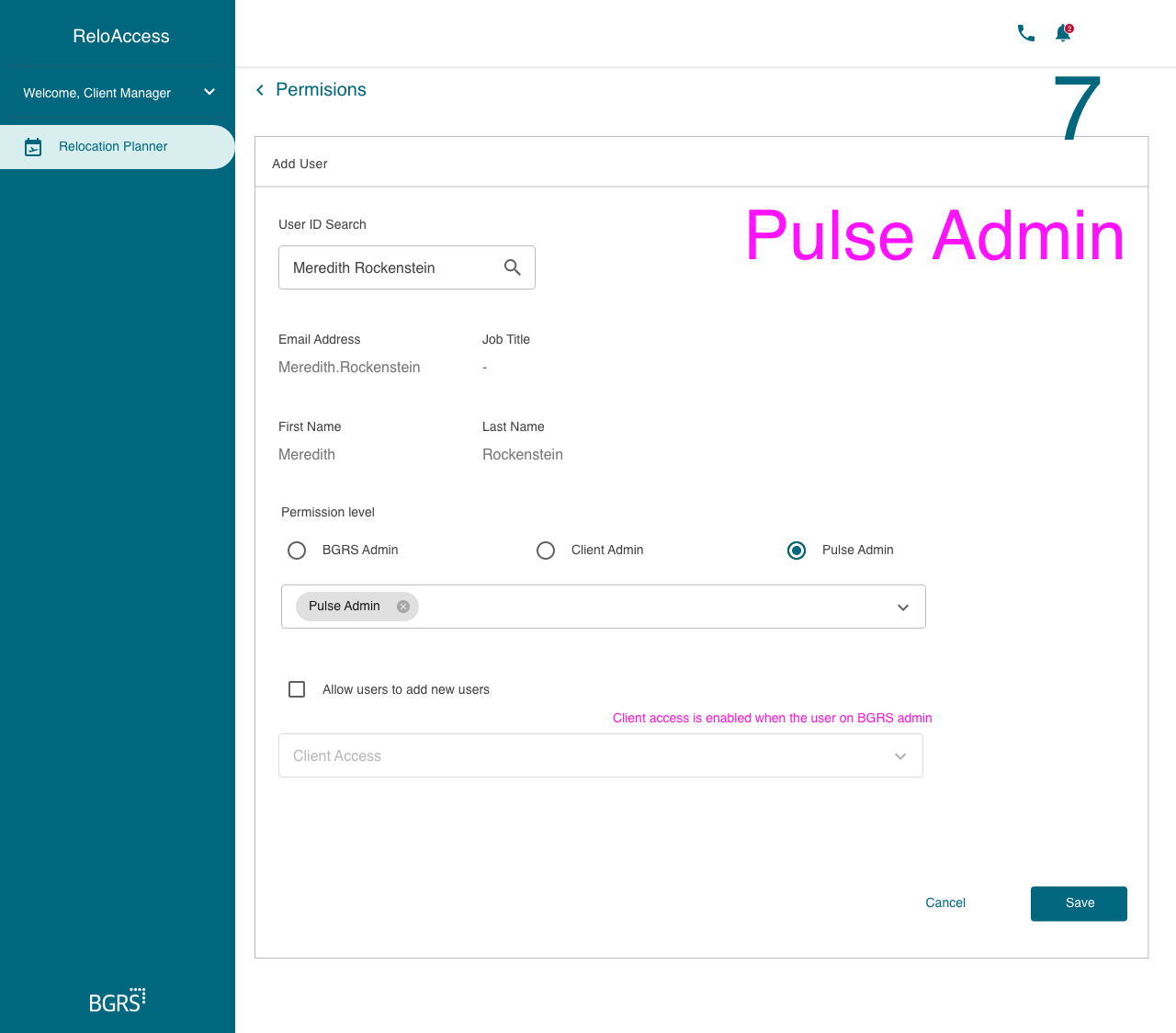
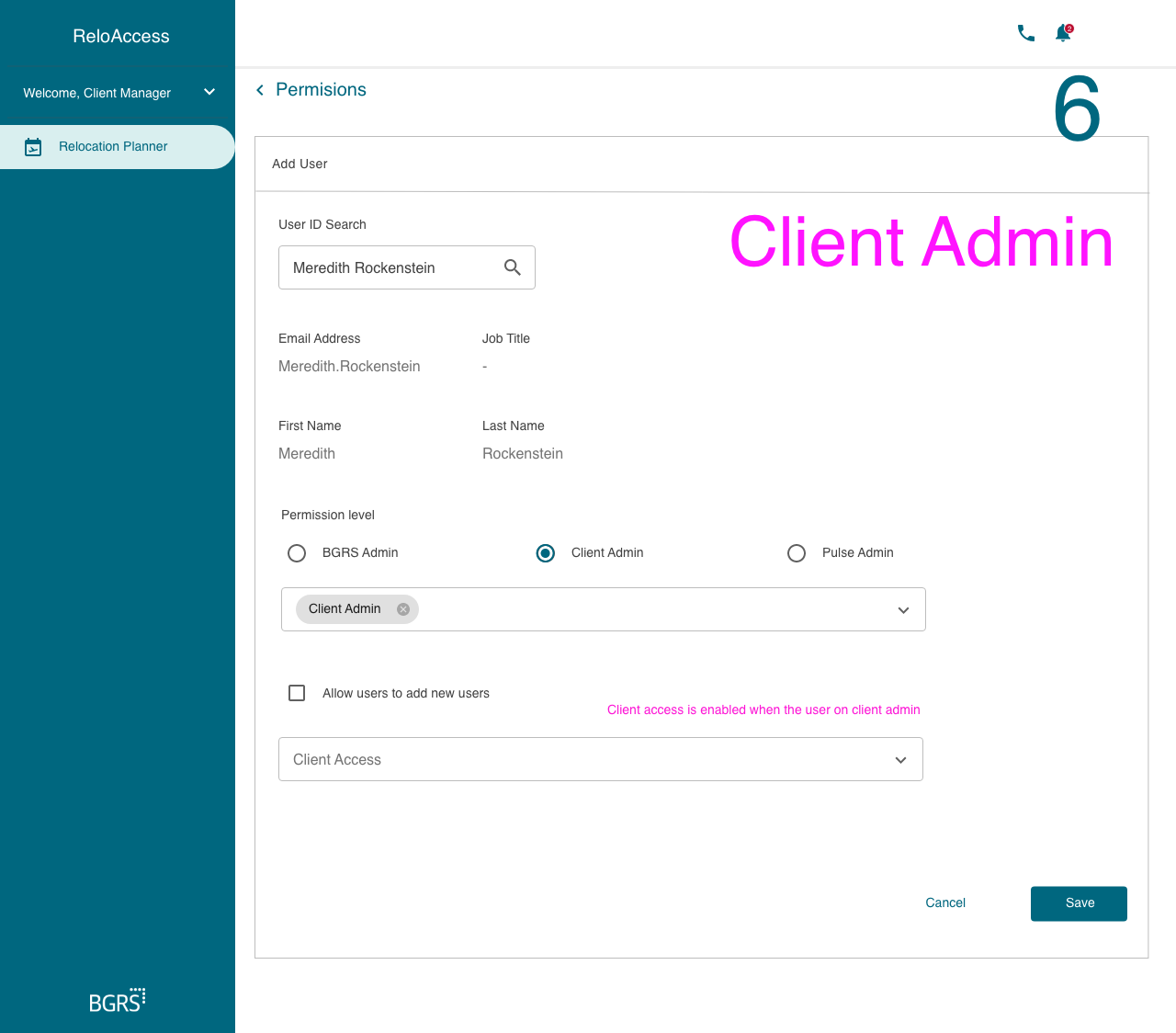
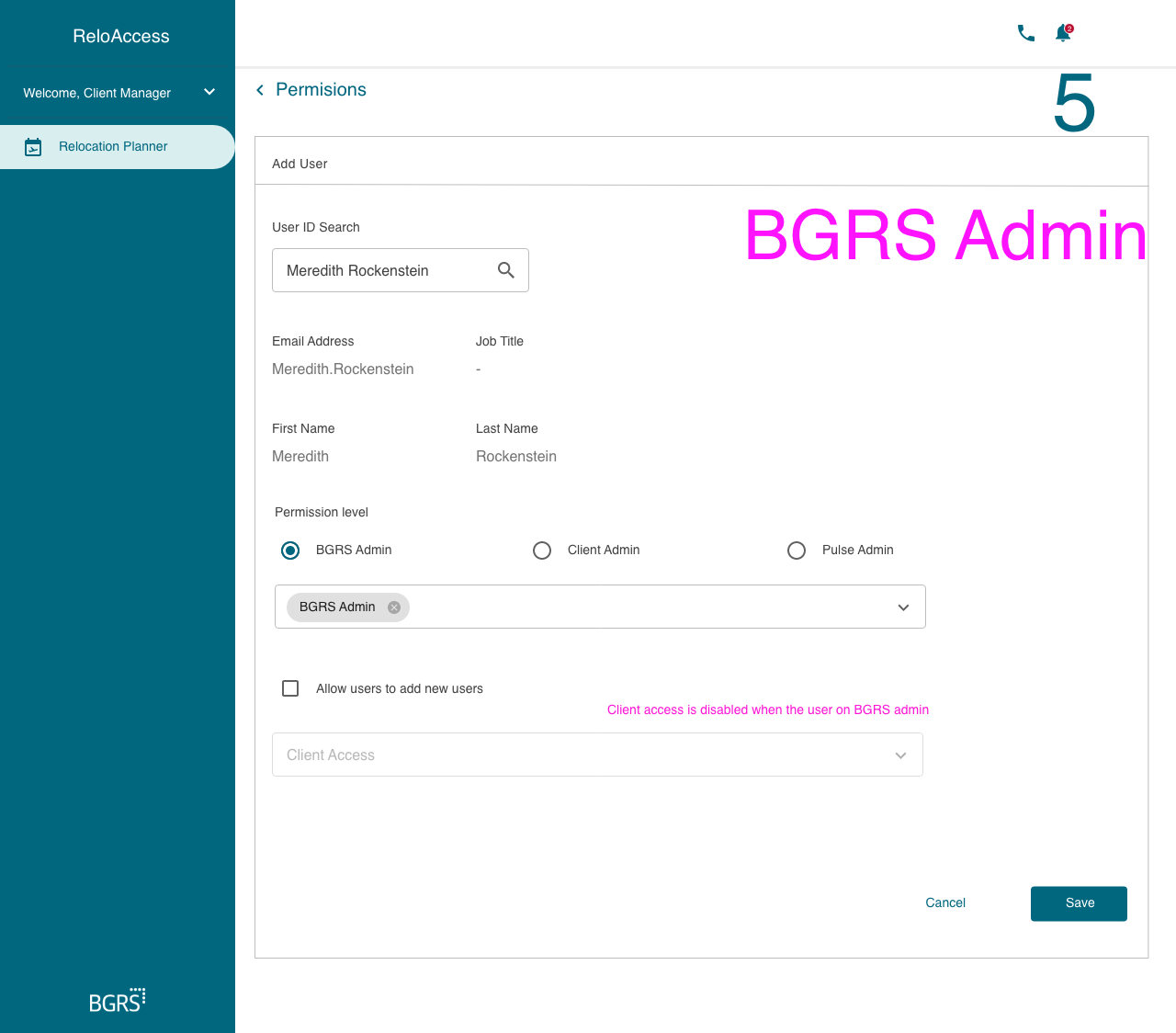
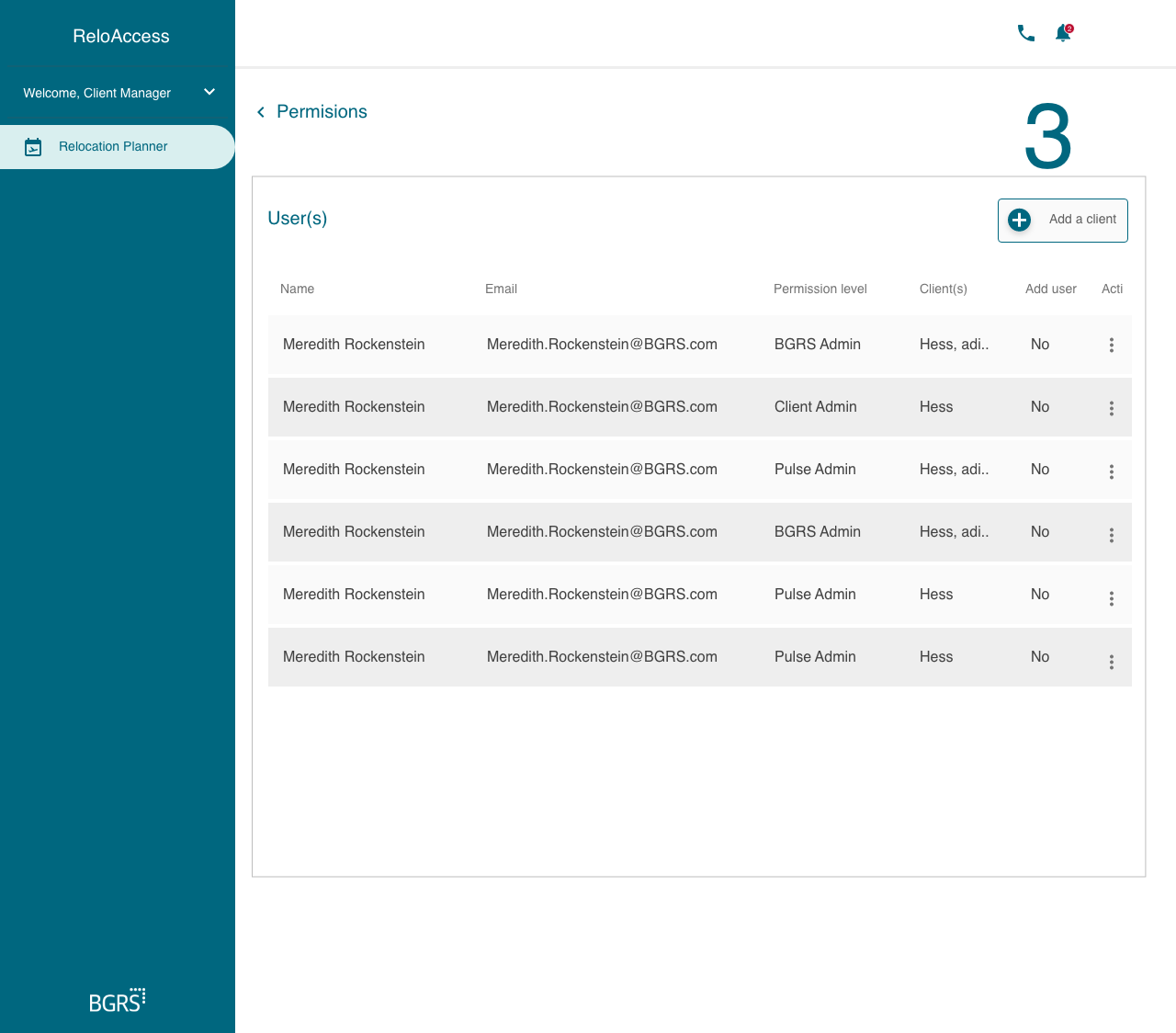
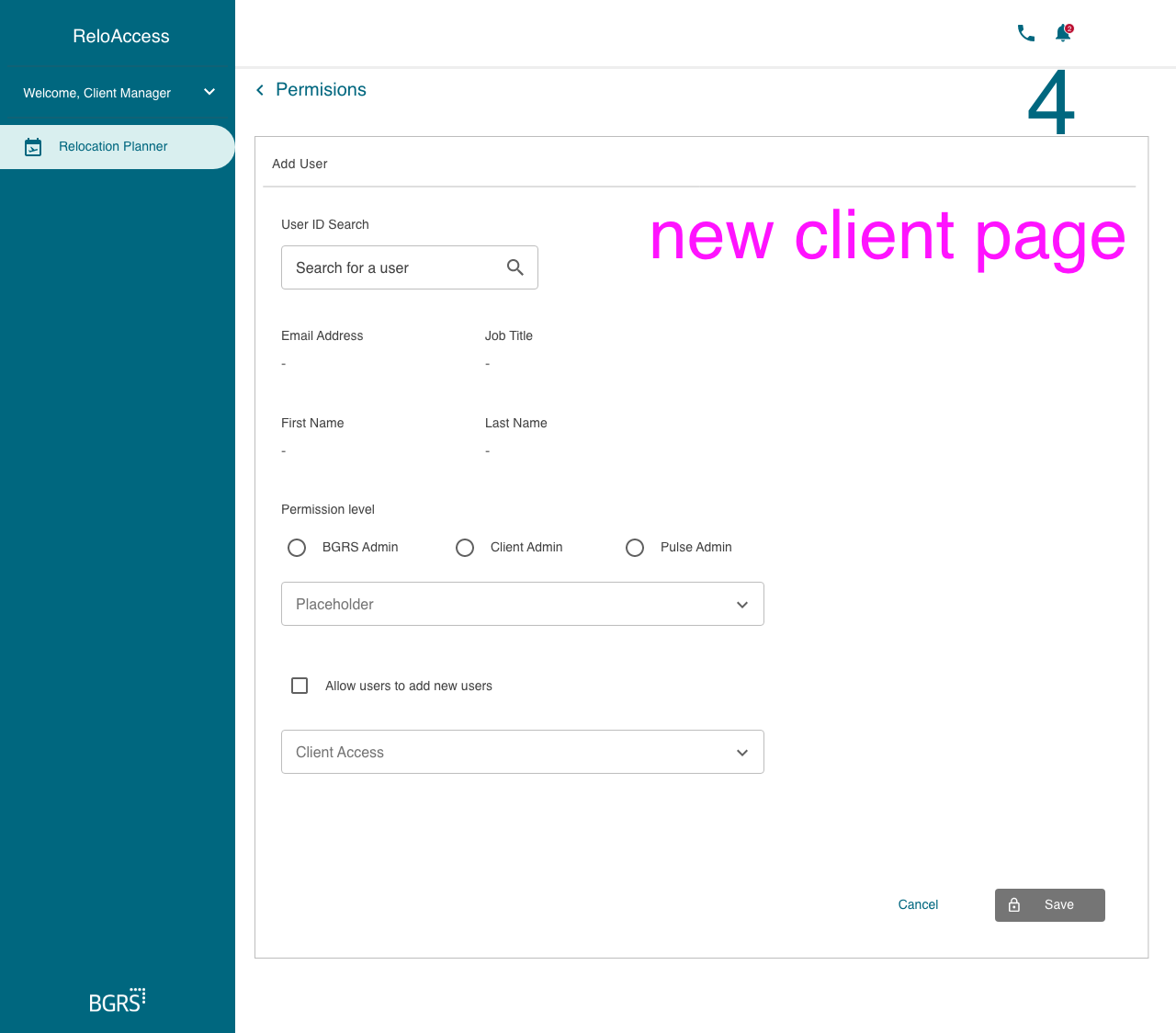
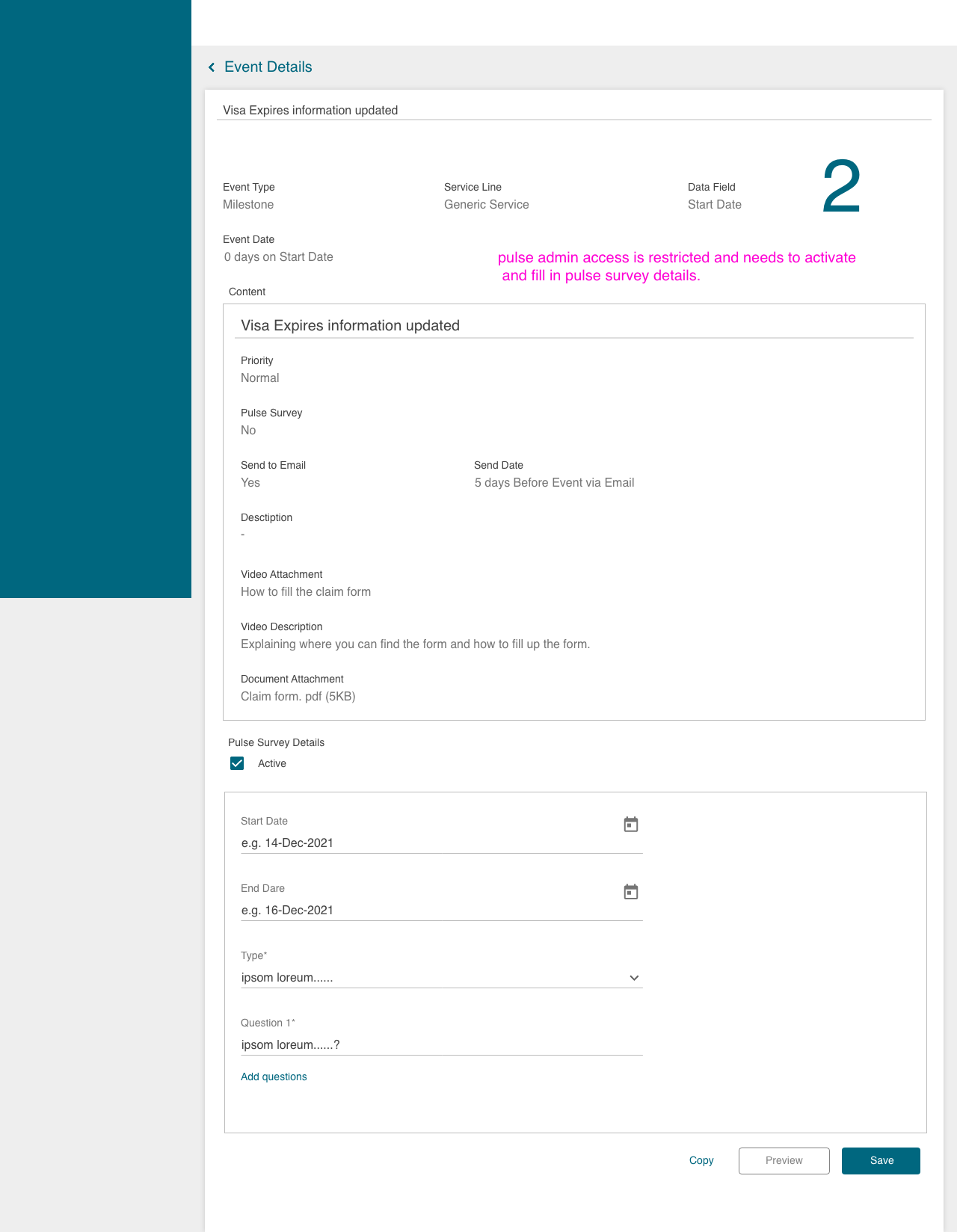
Pulse Admin
Testing & Validation
Validation Activities
-
Remote usability testing with 5 HR Coordinators
-
In-app feedback collection from pilot teams
-
Post-rollout surveys measuring trust and efficiency
Iteration Insights
-
Timeline view clarified ownership and next steps
-
Tooltips added to rule builder improved configuration confidence
-
Reassign task feature added for timezone handoffs
-
Performance improvements prioritized based on data team audits

Results & Business Impact
-
30% reduction in onboarding time for new HR users
-
90% drop in relocation status-related support emails
-
Deployed across 5 global offices during pilot phase
“The platform gives us transparency and peace of mind during a high-stakes process.” — Intel Inc
UX Methods & Tools Used
Reflection
This project helped me grow as a system thinker and enterprise collaborator. I learned to:
-
Translate complex business rules into human-readable, scalable UX
-
Design for asynchronous collaboration across time zones
-
Balance legal audit needs with intuitive interaction patterns
-
Act as a design bridge across pods and technical teams