
IntraBot AI
Designing a Scalable, Role-Aware Chat Assistant for the Enterprise
-
Client: Conceptual Enterprise Product (Internal Prototype)
-
Timeline: 10 weeks (UX Concept + MVP Design)
-
Role: Lead UX Designer & Technologist
-
Team: Solo-led (UX, Research, System Architecture)
-
Tools Used: Figma, Miro, Claude, Notion, LangChain, Excalidraw
-
Platform: Responsive Web App + Internal SDK Integration
Summary
IntraBot AI is a role-aware, system-integrated enterprise chatbot designed to replace general-purpose tools like ChatGPT with a secure, trustworthy, and actionable assistant. It pulls live data, understands internal workflows, and enables employees to complete complex tasks across departments — all from one conversational interface.
The concept bridges fragmented enterprise knowledge, automates repetitive support tasks, and enhances internal system searchability through a real-time chat interface powered by multi-agent AI logic.
Business Objectives
- Reduce internal helpdesk and support load by 40%
- Create a secure AI layer connected to internal systems (CRM, HRMS, ITSM)
- Accelerate onboarding and reduce tool fatigue
- Ensure role-based access, compliance, and AI audit trails
- Build trust through verifiable responses and clear data sourcing
The Problem
“Our internal teams rely on 5+ disconnected systems to answer basic operational questions.”
Enterprise teams (HR, IT, Finance, Ops) face daily friction navigating siloed tools like Jira, Confluence, SharePoint, and outdated CRMs. Support desks are overrun by repetitive requests, and consumer LLMs (like ChatGPT) pose security and data risks.
Key Pain Points:
- Disconnected knowledge bases and duplicated content
-
Overloaded helpdesks answering the same questions daily
-
No secure, role-specific AI alternative to public chatbots
-
Users lack visibility into where AI responses come from
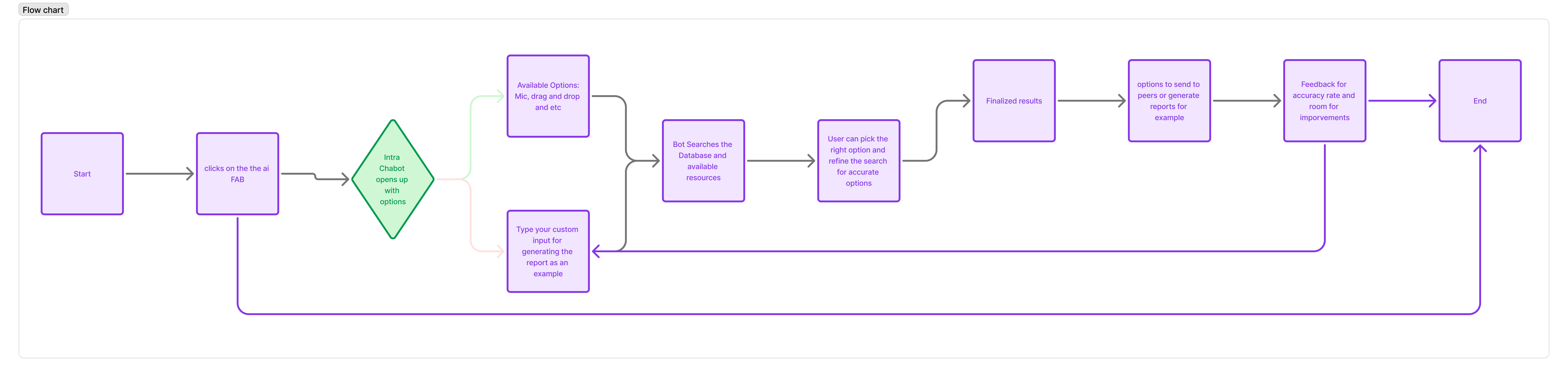
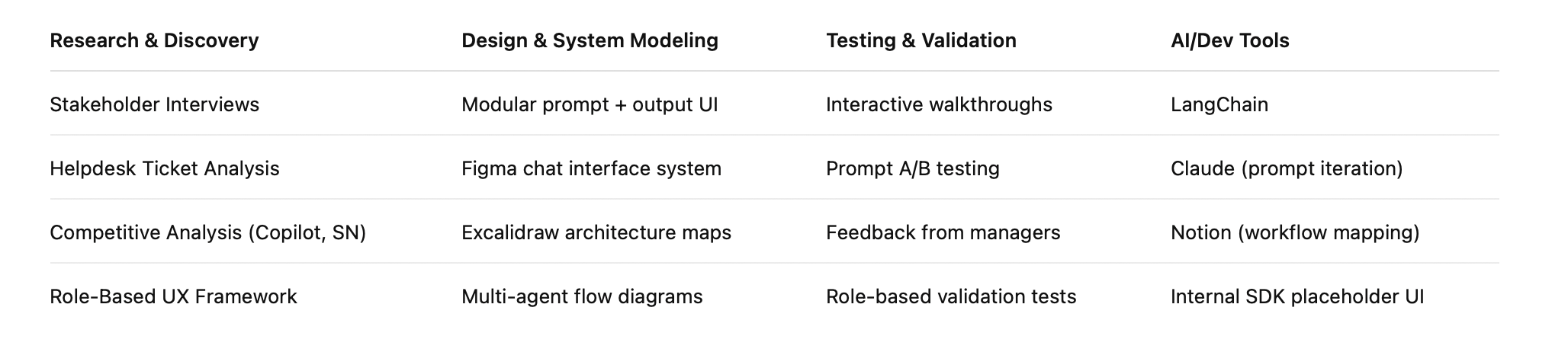
UX Methods & Tools Used
UX Research
Research Goals
-
Identify high-friction queries across departments
-
Understand role-based data access needs
-
Validate levels of comfort and trust in AI usage for sensitive workflows
Methods Used
-
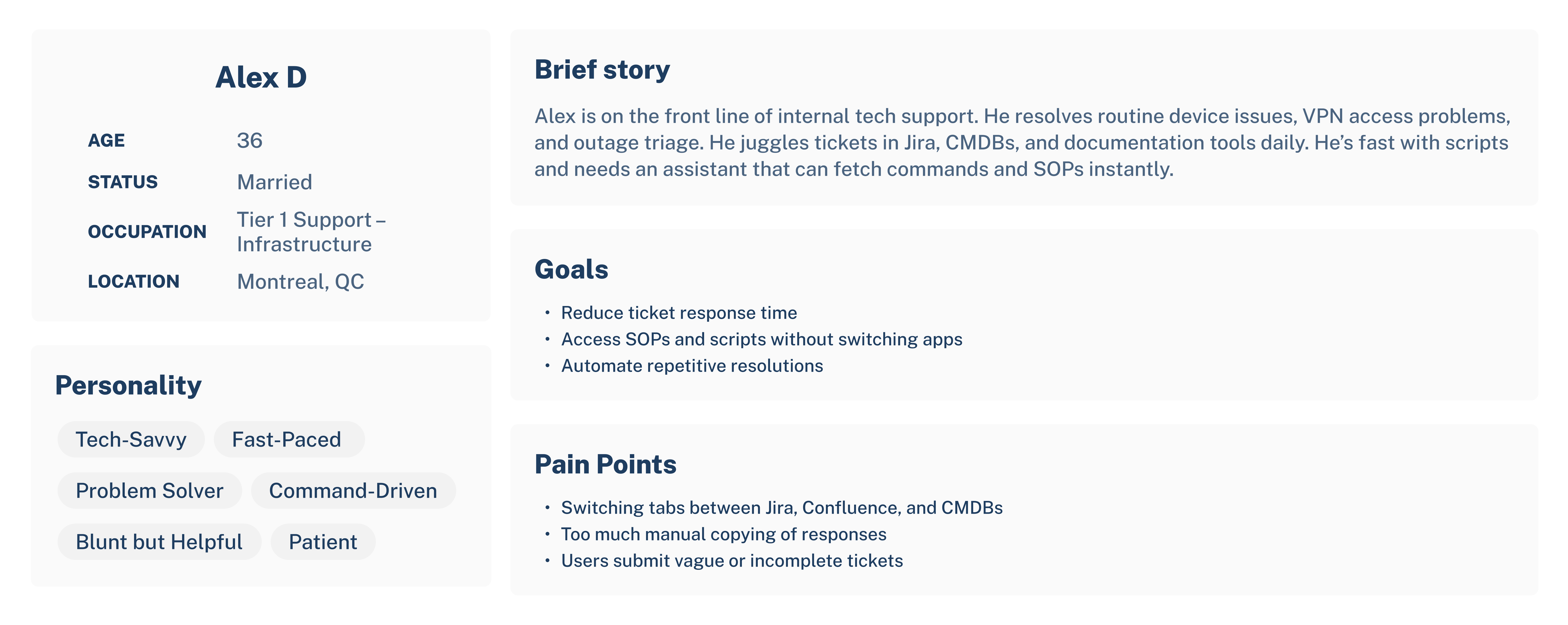
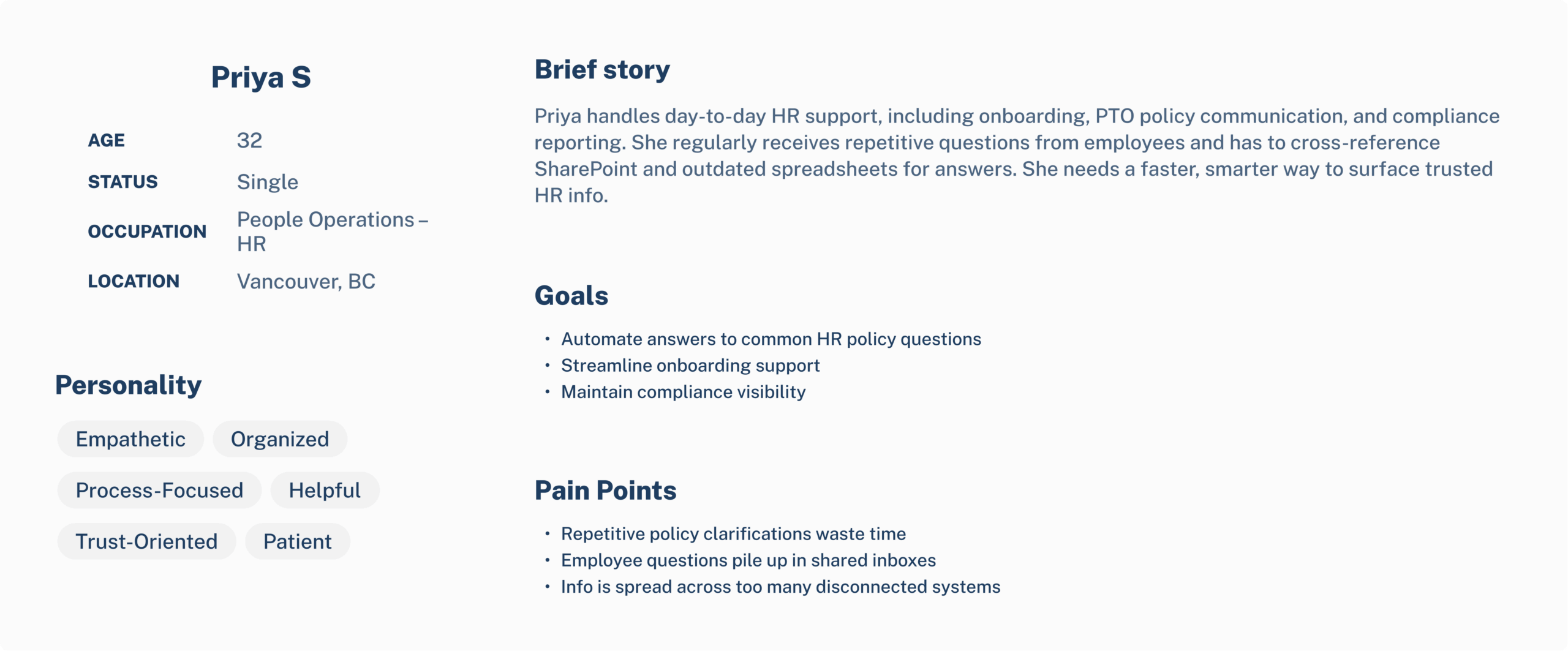
8 contextual interviews across HR, IT, Finance, and Compliance
-
Helpdesk ticket analysis and topic clustering
-
Competitive review: Microsoft Copilot, Slack GPT, ServiceNow AI
-
Journey mapping to identify repeatable “micro-tasks”
“I’m fine using AI — but only if it knows our systems and isn’t guessing.” — IT Manager
Design Process
Discovery & Strategy
-
Clustered 200+ real helpdesk tickets into task-based intents
-
Mapped use cases across 3 departments: IT, HR, Finance
-
Defined functional MVP and multi-agent AI architecture (actions, search, analytics)
Wireframes & Flows
-
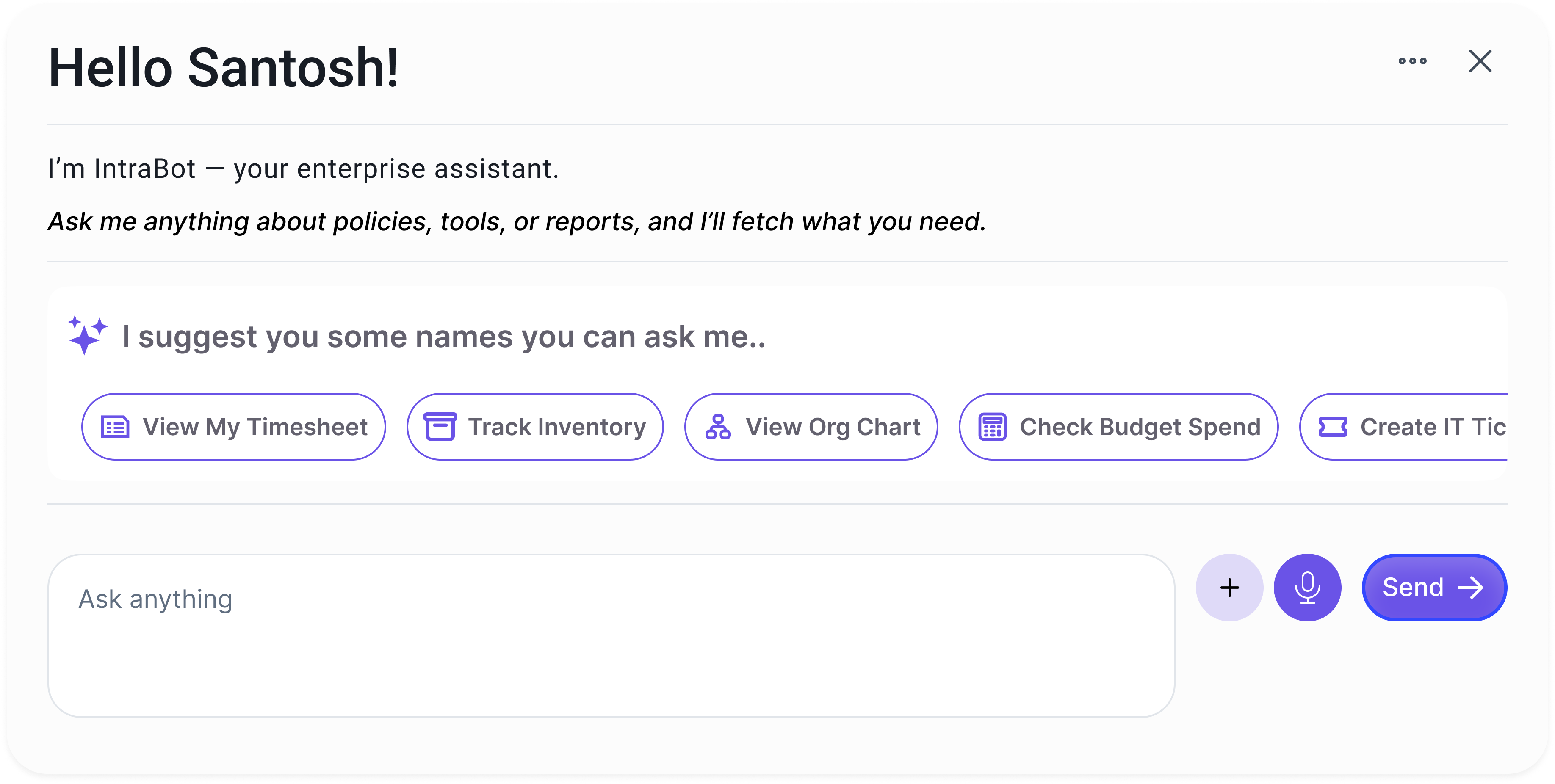
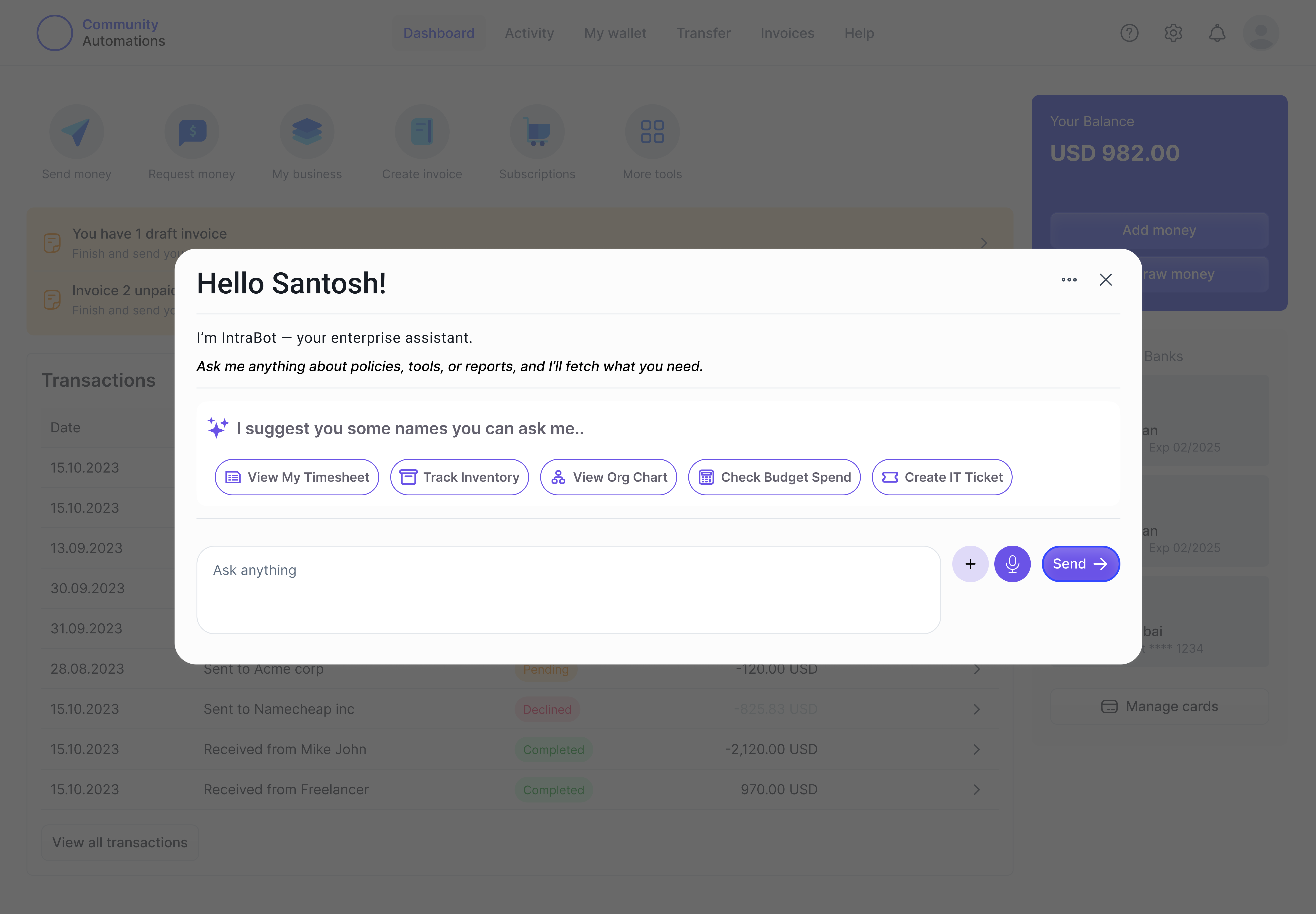
Chat interface with context-aware cards (e.g., “run report”, “open ticket”)
-
Quick Action Bar for common tasks based on role
-
Sidebar showing recent queries, live status, and permissions
Scenario
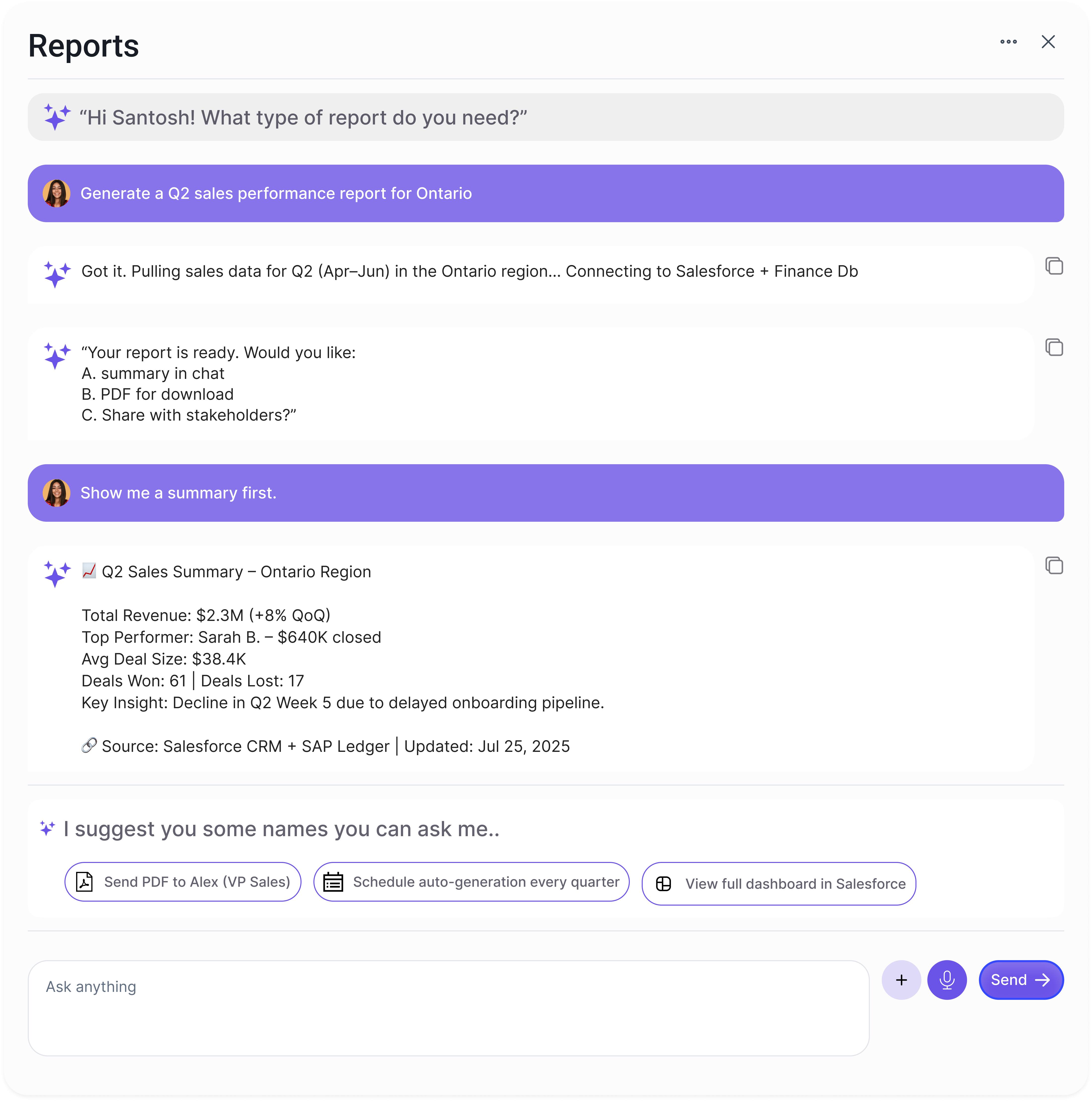
“Generate Q2 Sales Performance Report”
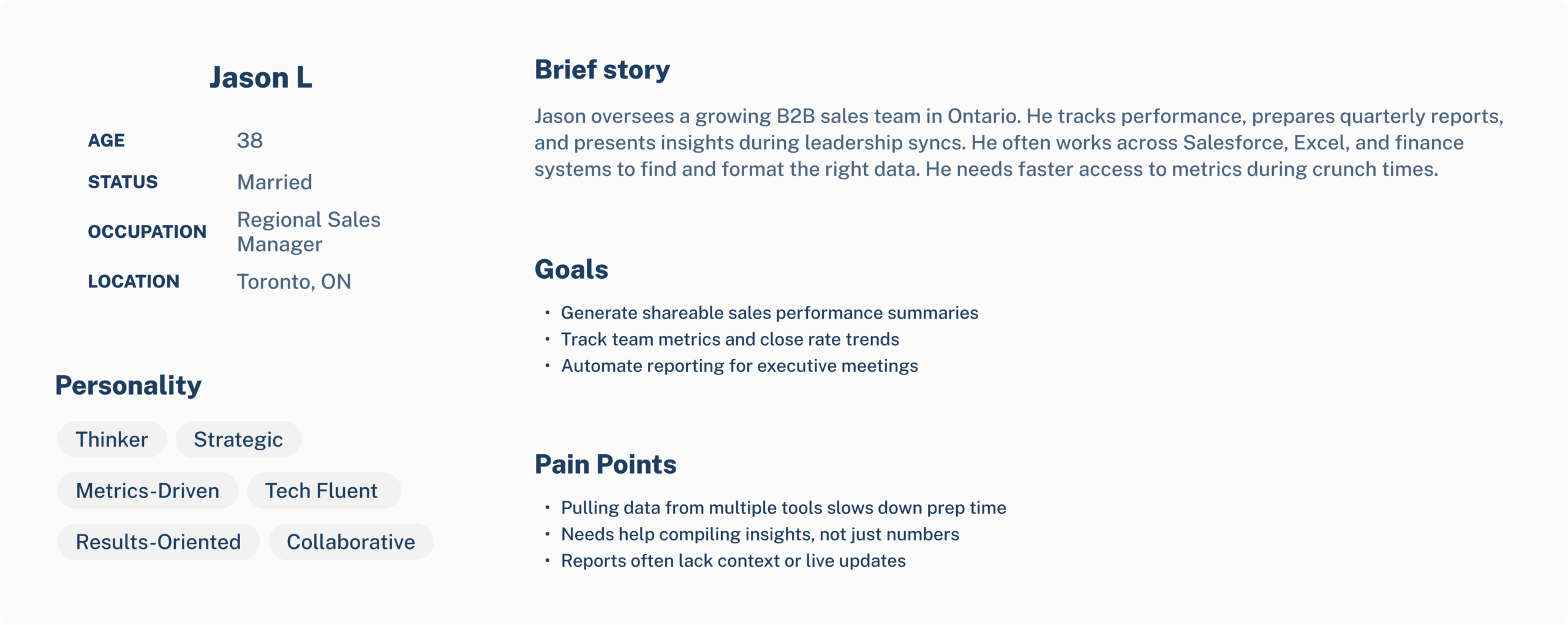
User Persona:
Name: Santosh Patnala
Role: Regional Sales Manager – Ontario
Goal: Quickly generate a quarterly sales report to present at Monday’s leadership sync
Trigger:
Jason opens IntraBot AI from his dashboard and clicks the “Generate Report” quick action.
High-Fidelity UI / Prototypes
Core Features Designed:
-
Live Search + Command Input: Smart prompt field with fallback suggestions
-
Real-Time Data Cards: Modular output blocks for reports, charts, ticket status
-
Role-Aware Views: HR users see policy modules; IT sees diagnostics tools
-
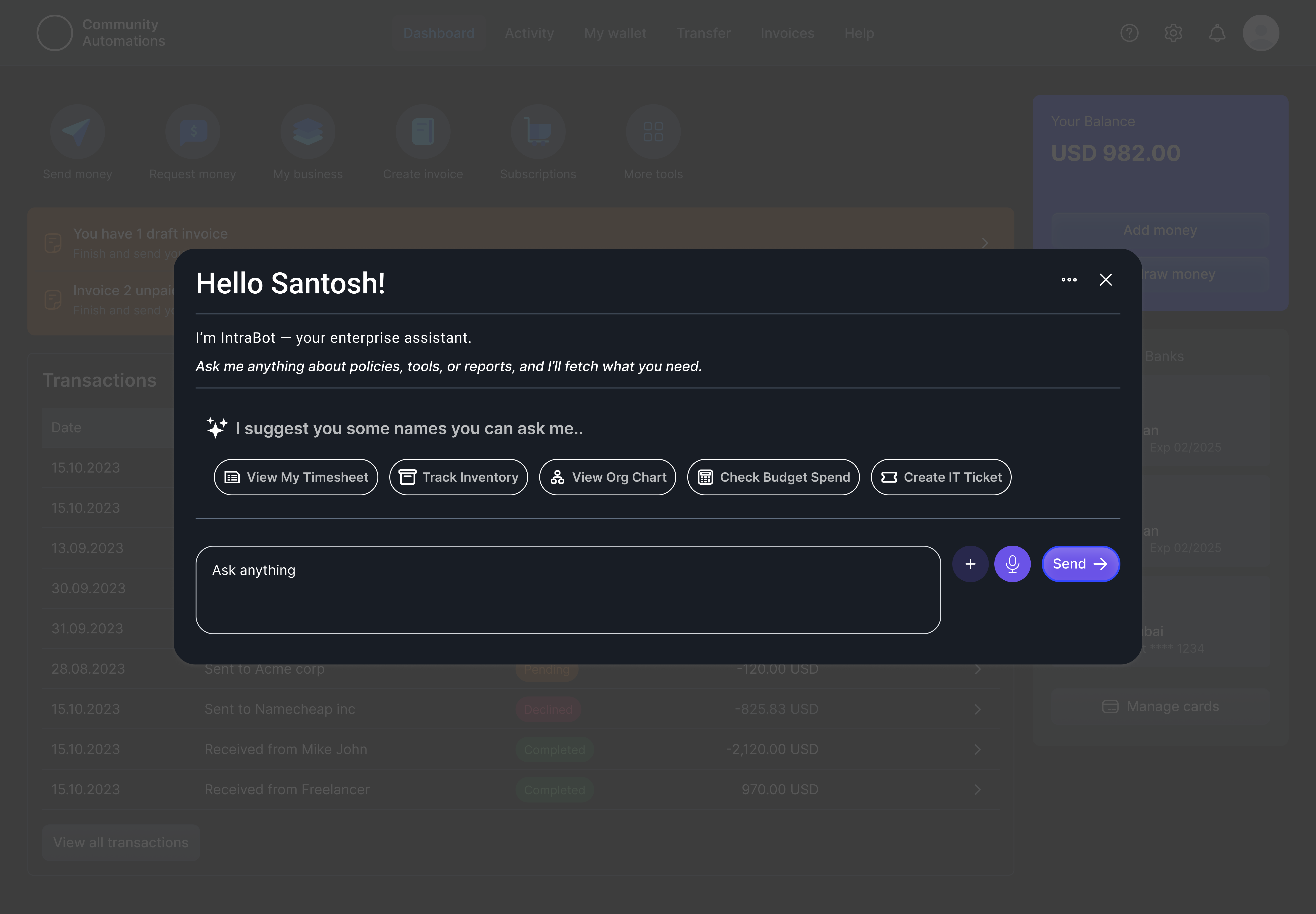
Dark Mode: Tuned for command-line-heavy workflows
-
SDK Integration Layer: Conceptual UI for embedding IntraBot into internal portals
User Testing & Iteration
Testing Strategy:
-
Interactive prototypes tested with mid-level managers from IT and HR
-
Cognitive walkthroughs focusing on task flow clarity and data trust
-
Prompt A/B testing (tone, accuracy feedback, UI confidence cues)
Key Insights:
-
Users responded best to “action cards” (modular, tappable results) over free text
-
Trust increased when data sources were clearly cited
-
Auto-saved chat history reduced duplication in repeat workflows
-
Role-specific data views helped maintain compliance while improving usability
Outcomes & Impact
-
📌 Used as a blueprint to inform enterprise AI roadmap discussions
-
🛡 Developed a preliminary compliance checklist for AI audit and access
-
⏱ Reduced simulated helpdesk response time by 53% in early test flows
-
🤝 Served as a conversation starter for unified AI governance strategy
-
🧠 Became the conceptual foundation for broader AI-based self-service tools
“This felt like a real assistant that knows our systems — not just another chatbot.” — Internal Ops Lead
Reflection
IntraBot AI challenged me to:
-
Architect permission-based UX for intelligent systems
-
Prototype AI-augmented workflows that support real business actions
-
Balance LLM flexibility with enterprise control and safety
-
Design with future scalability (SDK, APIs, and trust models) in mind
This project helped me build confidence not just in designing for AI — but in designing AI that enterprises can actually trust.